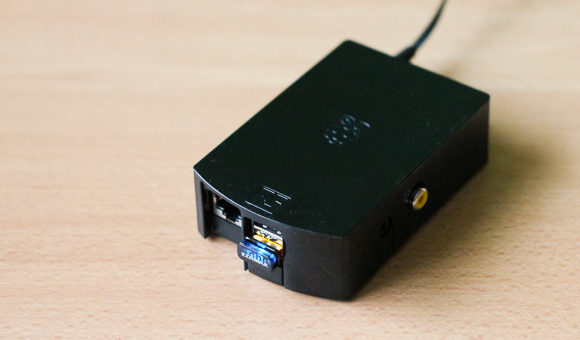
I’ve recently tried to setup a WiFi connection with the RaspberryPi and encountered some issues: the connection didn’t start automatically and it wasn’t stable. I’m using an Edimax EW-7811Un USB dongle, which is supposed to be supported out of the box with Raspian Wheezy (2012-12-16).
After researching the issue, I finally have a configuration that works reliably. Here are the steps I’ve followed.
Setting up the configuration
Edit the /etc/network/interfaces file to look like this:
auto lo

iface lo inet loopback
iface eth0 inet dhcp

#auto wlan0
allow-hotplug wlan0
iface wlan0 inet manual
wpa-roam /etc/wpa_supplicant/wpa_supplicant.conf
iface default inet dhcp
Then add your WiFi parameters to /etc/wpa_supplicant/wpa_supplicant.conf.
Here are my parameters to connect to my freebox (French ISP router).
network={
        ssid="YOURSSID"
        scan_ssid=1
        key_mgmt=WPA-PSK
        proto=WPA
        psk="YOURPASSWORD"
}
At this point, the you should be able to start the connection with this command:
sudo ifup wlan0
In some cases, you might need to do sudo ifup wlan0 first.
Connect automatically when booting
To make the connection work when the RaspberryPi boots, I have added a few lines to /etc/rc.local (source) :
echo "Starting WiFi..."
wpa_supplicant -B -i wlan0 -c /etc/wpa_supplicant.conf
sleep .5s
dhclient wlan0
echo "WiFi should be started"

exit 0
Keep the connection alive
To make sure that the connection stays up, I’ve done two things.
First, disable the power management of the WiFi dongle. Create a new /etc/modprobe.d/8192cu.conf file with this content (source):
options 8192cu rtw_power_mgnt=0 rtw_enusbss=0
Then, make the RaspberryPi ping the router every minute. Open your crontab:
$ crontab -e
and add this line at the end :
*/1 * * * * ping -c 1 192.168.0.254
Replace the IP address by the actual IP address of your router.
It took me some time to get it right, but now the Pi connection seems to work fine.
14 replies on “Setting up a WiFi connection on the RaspberryPi”
Thank you so much! I’ve finally gotten the WiFi to successfully connect to the internet at boot up, and so far this is the only guide that has worked 🙂
Glad it was helpful!
[…] the official Debian, install Shairport, configure the WiFi connection. Make sure that WiFi connection and the shairport software are launched at boot […]
if you set your interfaces like this there is no need for the rc.local
auto lo wlan0
iface lo inet loopback
iface eth0 inet dhcp
#auto wlan0
allow-hotplug wlan0
iface wlan0 inet dhcp
wpa-conf /etc/wpa_supplicant/wpa_supplicant.conf
iface default inet dhcp
[…] See here: http://svay.com/blog/setting-up-a-wifi-connection-on-the-raspberrypi/ […]
[…] Read More: http://svay.com/blog/setting-up-a-wifi-connection-on-the-raspberrypi/ […]
it all works however I still do not have connection to my router. I know that there is an existing wpa_supplicant instance running and I have to kill it prior to running your script. I don’t have enough foo to do that? can you help
Thanks a lot for the posts : the solution provided by Plastikman works perfectly (only one file “/etc/network/interfaces” to modify).
If you don’t want to write in thev”/etc/wpa_supplicant/wpa_supplicant.conf” file, you can use the “wpa-gui” program to enter the parameters of your wifi connection. After you succeeded to connect by the wifi, save the configuration in “wpa-gui” and the “wpa_supplicant.conf” file contains the settings.
Regards,
Thank you Maurice and plastikman, you just made my day !
It helped me a lot !! Thank you !! 🙂
you solved my problem. thanks
Hi Maurice, thanks for the tips but I can’t find Keep the connection alive source to try out your setup could you help
Hi Maurice Svay , this is a good way to Setting up a WiFi connection, thank you !
Hello Maurice Svay,
WiFi configuration for Raspberry pi works fine. but i want to connect internet through ethernet cable(wired cinnection).i am waiting for your response.